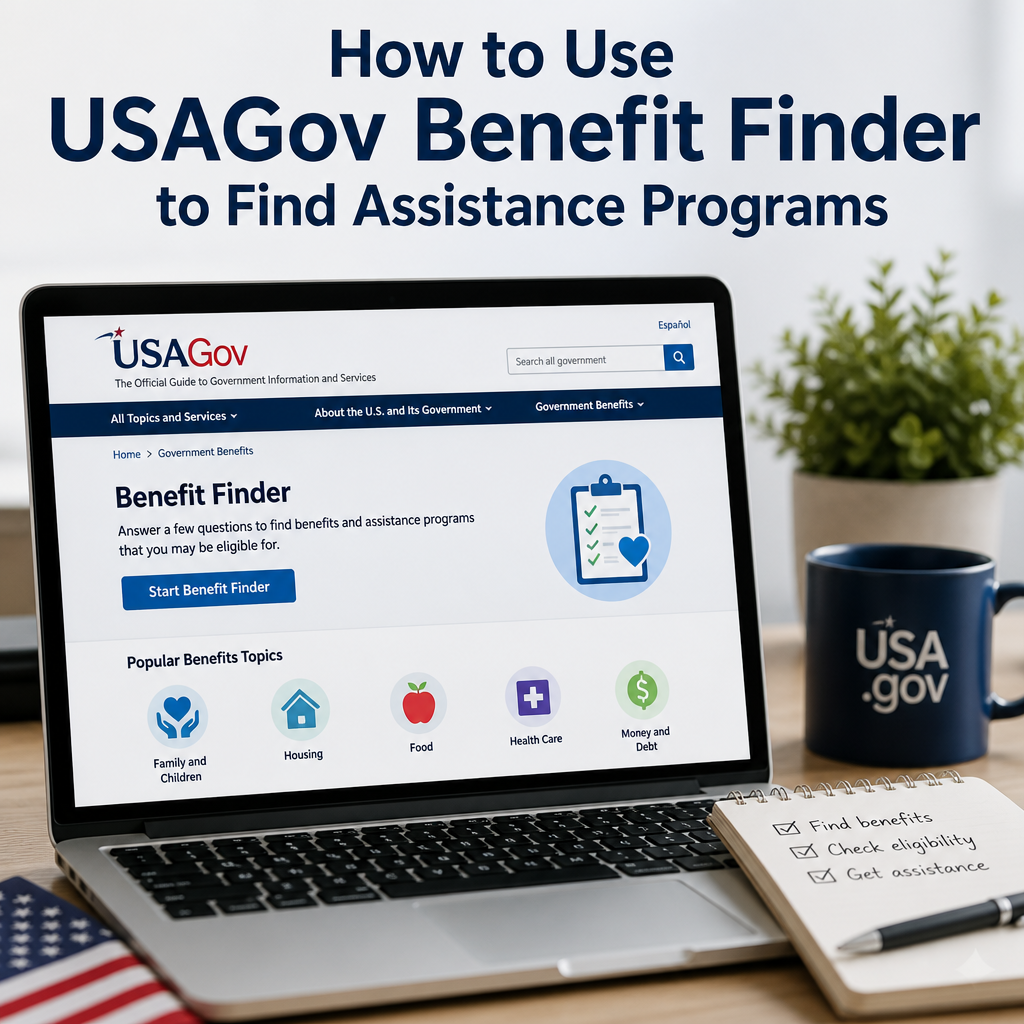
How to Use USAGov Benefit Finder to Find Assistance Programs
The USAGov Benefit Finder makes it easier to find assistance programs that fit your situation, saving you time and guesswork. By answering a few simple questions, you can quickly see which benefits may be available for food, housing, health care, child care, and more.
By: Emily Adams - Benefits on August 2, 2026
Anúncios
Finding government help can feel overwhelming, especially when you’re not sure where to start. The USAGov Benefit Finder is designed to make that process easier. It helps people quickly identify federal and state assistance programs they may qualify for based on their personal situation, such as income, age, family size, disability status, veteran status, and more.
If you’re trying to figure out how to pay for food, health care, housing, child care, or education, the USAGov Benefit Finder can point you toward programs that may help. It won’t apply for benefits on your behalf, but it can save time by narrowing down the options that match your needs.
Anúncios
What Is the USAGov Benefit Finder?
The USAGov Benefit Finder is an online screening tool created by USA.gov, the official U.S. government website for information on government services and benefits. It asks a series of questions about your household and circumstances, then returns a list of assistance programs you may be eligible for.
This tool is useful because many people do not know which benefits exist or which agencies administer them. Some programs are federal, while others are offered by states, local governments, or nonprofit partners. The Benefit Finder helps organize that information in one place.
Anúncios
What kinds of programs does it cover?
Depending on your answers, the tool may help you find programs related to:
Food assistance
Health insurance and medical care
Housing and utility support
Child care and family services
Education and job training
Disaster relief
Veteran benefits
Disability support
Retirement and Social Security-related resources
The tool is not a replacement for program applications or caseworkers, but it is a strong starting point for benefit research.
Why Use the USAGov Benefit Finder?
Many people delay seeking help simply because they do not know where to look. The USAGov Benefit Finder removes much of that uncertainty.
It saves time
Instead of searching multiple agency websites, you answer one set of questions and receive a personalized list of possible benefits.
It helps you discover programs you may not know about
Some assistance programs have specific eligibility rules or uncommon names. The tool can surface options you might not find in a general search.
It supports different life situations
Whether you’re a student, parent, job seeker, senior, veteran, or someone facing a temporary financial setback, the Benefit Finder can help direct you to relevant resources.
It is easy to use
The interface is straightforward, and you do not need to create an account to begin. That makes it accessible for people who want quick answers without a long signup process.
How to Use the USAGov Benefit Finder Step by Step
Using the USAGov Benefit Finder is simple, but it helps to know what to expect before you start.
1. Visit the official Benefit Finder page
Go to the USAGov website and open the Benefit Finder tool. Because it is an official government resource, you can trust that the information comes from recognized public agencies.
2. Answer the initial screening questions
The tool will ask about your situation. Questions may include:
Your age
Employment status
Household income
Number of people in your household
Marital status
Veteran status
Disability status
Whether you have children
Your housing situation
Whether you need help with food, health care, or other necessities
Answer honestly. The better the information you provide, the more accurate the results will be.
3. Review the matching programs
After you complete the questionnaire, the tool will generate a list of programs that may fit your profile. Each result typically includes a brief description and a link to learn more.
4. Read the eligibility details carefully
Do not assume that every result is a guaranteed match. Use the program descriptions to check:
Income limits
Residency requirements
Age requirements
Citizenship or immigration status rules
Disability or medical documentation requirements
Deadlines or enrollment periods
5. Follow the application instructions
If a program looks like a good fit, click through to the relevant agency or organization. Follow the application steps listed on the official site. Some programs let you apply online, while others may require a phone call, visit, or paper application.
6. Save the results for later
It can be helpful to bookmark the programs you want to explore further. You may also want to jot down contact information, required documents, and next steps in a notebook or spreadsheet.
Tips for Getting Better Results from the USAGov Benefit Finder
The more accurate your input, the more useful the results will be. A few small habits can make a big difference.
Gather your key information first
Before using the tool, try to have these details ready:
Household income
Number of dependents
Age of family members
Current benefits you already receive
Disability or veteran status
Housing costs or utility concerns
Employment status
Think about all areas where you need help
You may be looking for food support, but you could also qualify for child care assistance, health coverage, or utility relief. Select all relevant categories when possible.
Recheck your answers if the results seem off
If the list does not seem to match your situation, review the questions and try again. A small difference in household size or income can affect eligibility.
Use it as a starting point, not the final answer
Eligibility rules can be complex. The Benefit Finder can help you find likely programs, but you should still confirm details with the agency that manages the benefit.
Common Assistance Programs You May Find
The USAGov Benefit Finder may lead you to a wide range of public benefits. Here are some of the most common categories.
Food assistance
If you are struggling to afford groceries, the tool may connect you with programs such as SNAP or local food assistance resources. It may also point you toward school meal programs or senior nutrition support.
Health coverage
You might find resources related to Medicaid, Medicare, the Children’s Health Insurance Program, or other health care support programs. These can be especially important if you are uninsured or facing high medical costs.
Housing and utilities
Some users are matched with housing assistance, rental support, or utility payment help. These programs are often administered through state or local agencies, so rules vary by location.
Child care and family support
Parents and caregivers may be directed to child care subsidies, early education assistance, or family support services.
Education and training
If you are looking to improve your job prospects, the tool may connect you with grants, scholarships, job training, or career development resources.
Income and retirement support
Older adults or people with limited income may be referred to Social Security-related resources, Supplemental Security Income, or retirement support information.
How the Benefit Finder Fits Into a Larger Benefits Search
The Benefit Finder is helpful, but it works best as part of a broader search strategy. That is especially true because some programs are handled by state agencies, county departments, or nonprofit organizations.
Check state and local resources
Federal programs are only part of the picture. Your state may offer additional benefits for:
Cash assistance
Energy bill help
Child care support
Rental aid
Transportation services
Contact the program directly
If the Benefit Finder points you to a program that seems promising, contact the program office to verify eligibility and application requirements. This can help you avoid delays.
Keep your documents organized
Many benefit applications require similar records. It helps to keep digital or paper copies of:
ID documents
Proof of address
Pay stubs or income records
Tax information
Lease or utility statements
Medical records, if needed
Birth certificates or Social Security cards for dependents
Practical Example: Using the Benefit Finder for a Family in a Tight Budget
Imagine a parent with two children who recently had a job loss. They need help with groceries, rent, and child care while they search for new work.
Using the USAGov Benefit Finder, they answer questions about:
Household income
Number of children
Employment status
Housing situation
Current benefits
The tool returns several possible programs, including food assistance, Medicaid or CHIP options for the children, and child care support. The parent then visits the official sites for each program, checks the eligibility requirements, and starts the application process.
This approach is useful because it turns a confusing search into a manageable plan. Instead of trying to guess which agency to contact first, the family gets a clearer path forward.
Common Mistakes to Avoid
Even though the tool is simple, a few mistakes can reduce its usefulness.
Entering incomplete information
If you skip questions or guess at key details, the results may not be accurate.
Assuming one result means automatic approval
The Benefit Finder identifies possible matches. It does not determine final eligibility.
Ignoring local programs
Some of the most helpful assistance programs are run at the state or local level. Don’t stop at federal options.
Waiting too long to apply
Many programs have limited funding or processing delays. If a result looks promising, apply sooner rather than later.
Who Should Use the USAGov Benefit Finder?
This tool can help a wide range of people, including:
Families with children
Seniors living on fixed incomes
Students looking for education support
Workers who lost income or employment
Veterans seeking benefits
People with disabilities
New parents
Caregivers
Anyone facing a financial emergency
If you are unsure whether you qualify for assistance, the Benefit Finder can be a smart first step.
Frequently Asked Questions
Is the USAGov Benefit Finder free to use?
Yes. The USAGov Benefit Finder is free and available online. You do not need to pay to access the questionnaire or view the results.
Do I need to create an account?
No account is usually required to use the tool. That makes it easy to explore benefits without committing to a signup process.
Does the Benefit Finder apply for benefits for me?
No. It helps you identify programs you may qualify for, but you still need to apply directly through the official agency or program site.
Is the information I enter kept private?
USAGov is a government website, but you should still review the site’s privacy policy before entering sensitive information. As with any online tool, use caution and only provide what is needed to get accurate results.
What if I do not qualify for any programs?
If you do not get strong matches, try again with updated information or explore state and local benefit resources. You can also contact community action agencies, social service offices, or nonprofit organizations for additional help.
The USAGov Benefit Finder is one of the most practical starting points for anyone searching for public assistance. Instead of spending hours trying to guess which programs may apply, you can answer a few guided questions and quickly narrow your options. That alone can reduce stress and help you take action sooner.
What makes the tool especially valuable is its ability to connect people with a broad range of support, from food and health coverage to housing, child care, education, and retirement resources. It does not replace the application process, but it gives you a clearer map of where to begin.
If you are facing a financial challenge or simply want to understand what help may be available, taking a few minutes to use the USAGov Benefit Finder can be a smart move. Pair it with official agency websites, local service providers, and organized records, and you will be in a much better position to find the assistance programs that fit your needs.
Emily A, holds a Master's degree in Public Administration (MPA) and has over 7 years of experience researching federal and state assistance programs. She writes educational content focused on government benefits, public policy, and community resources, using information from official agencies to help readers understand available programs and eligibility requirements.