How College Navigator Helps Students Research and Compare Colleges
College Navigator makes college research easier by putting reliable, side-by-side data at your fingertips. From tuition and graduation rates to campus size and programs, it helps students compare schools with confidence and choose the best fit.
By: Jennifer Collins on August 1, 2026
Anúncios
Choosing a college is one of the biggest decisions a student can make, and the amount of information available online can feel overwhelming. That is where College Navigator comes in. Built by the National Center for Education Statistics, College Navigator helps students research and compare colleges using reliable, standardized data from institutions across the United States. Instead of relying on marketing materials or scattered search results, students can use College Navigator to evaluate schools side by side and make more informed decisions.
Whether you are comparing tuition costs, graduation rates, campus size, or available programs, College Navigator gives you a clear starting point. It is especially useful for students, parents, school counselors, and anyone who wants a more objective view of college options.
Anúncios
What Is College Navigator?
College Navigator is a free online tool from the U.S. Department of Education’s National Center for Education Statistics (NCES). Its purpose is to help users search and compare colleges using data reported through federal higher education surveys.
Unlike a college brochure or admissions page, College Navigator focuses on factual information. It provides details such as:
Anúncios
Enrollment numbers
Tuition and fees
Financial aid availability
Graduation rates
Campus setting
Housing options
Student demographics
Academic programs
Retention rates
This makes it a practical tool for college research because it helps students move beyond first impressions and into meaningful comparison.
Why College Navigator Matters for College Research
Students often start their college search with a list of names, rankings, or recommendations from friends. While those sources can be helpful, they do not always show the full picture. College Navigator helps fill that gap by organizing information in a consistent format.
It supports objective comparison
College websites are designed to attract applicants. They highlight strengths, campus life, and student success stories. College Navigator, on the other hand, presents standardized data that makes it easier to compare schools fairly.
It saves time
Instead of opening dozens of tabs and digging through scattered pages, students can review key information in one place. This is especially helpful when comparing multiple colleges with similar programs.
It helps students focus on fit
College choice is about more than prestige. Students need to consider cost, academic offerings, location, and support services. College Navigator makes those practical factors easier to evaluate.
How to Use College Navigator Effectively
Using College Navigator is straightforward, but getting the most value from it takes a little strategy. Here are the basic steps.
1. Start with a broad search
You can search for colleges by:
School name
Location
Program area
Degree level
Institution type
If you are just beginning your search, try filtering by state, size, or major to build an initial list of schools.
2. Review the school profile
Each institution profile includes a wide range of data. Pay attention to:
Admission requirements
Tuition and fees
Average net price
Enrollment by race/ethnicity and gender
Graduation and retention rates
Campus characteristics
Student services
Accreditation
These details can help you understand not just what a college offers, but how it serves students.
3. Compare multiple schools side by side
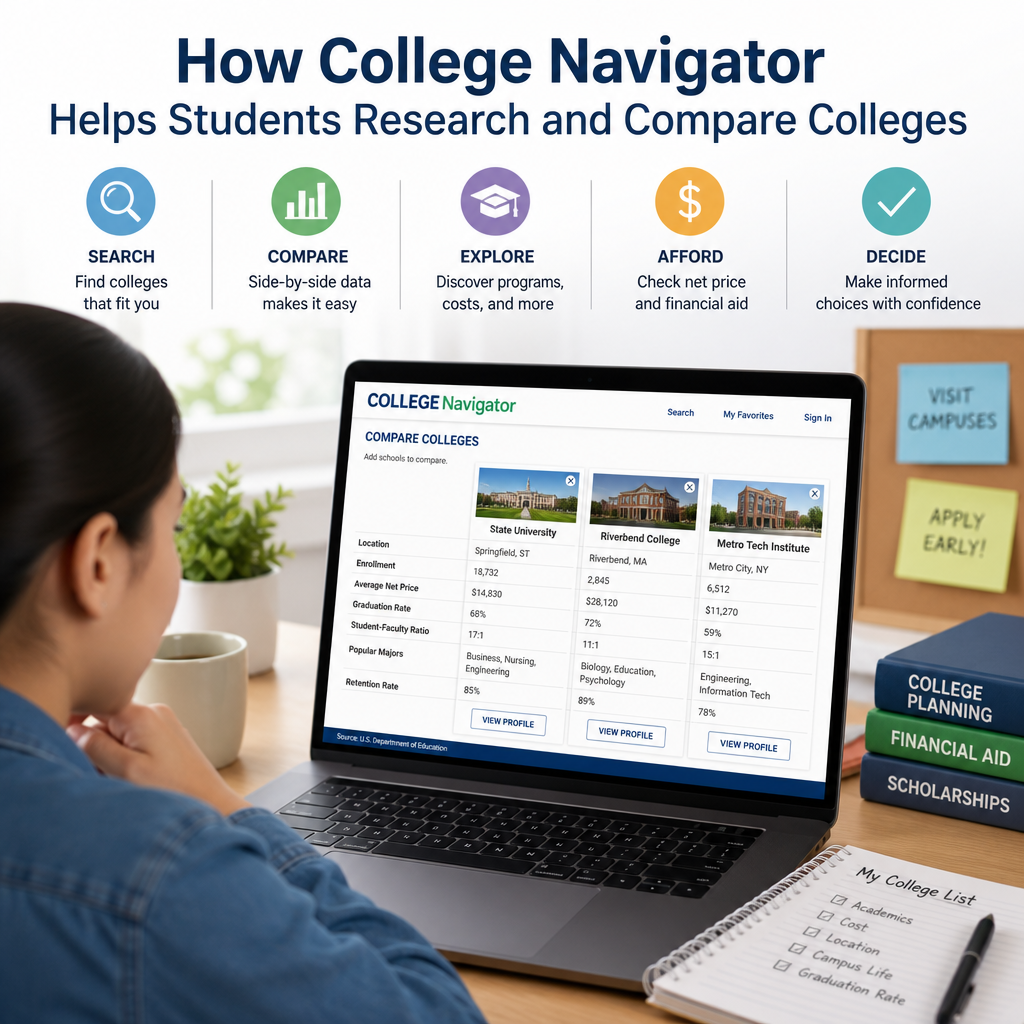
One of the most useful features of College Navigator is the comparison tool. You can select several colleges and view their information in parallel. This is ideal when you are narrowing your list and need to see which school better matches your goals.
4. Download or print information
If you are making notes, discussing options with family, or preparing for a counselor meeting, you can print or save the information for reference. That can make decision-making more organized and less stressful.
Key Features That Make College Navigator Useful
College Navigator stands out because it gives students access to practical details that matter in real college decisions.
Tuition and net price
Sticker price and actual cost are not always the same. College Navigator includes tuition and fee data along with estimated net price information for many schools. That helps students better understand what they might pay after grants and aid.
Graduation and retention rates
A college may look appealing on paper, but graduation and retention rates can tell you more about student outcomes and persistence. These figures can help you assess whether students tend to stay enrolled and complete their programs.
Program availability
If you already know your intended major, College Navigator helps you see whether a school offers that program and at what degree level. This is useful for students who want to study nursing, business, engineering, education, or other specialized fields.
Campus and housing details
Some students want a residential experience. Others prefer a commuter school. College Navigator includes information on campus setting, housing availability, and enrollment size, which can help students narrow choices based on lifestyle preferences.
Financial aid information
Many families need a realistic look at financial support. College Navigator provides data on the percentage of students receiving aid, average aid amounts, and loan information. While it does not replace a personalized financial aid estimate, it gives a helpful overview.
How College Navigator Helps Students Compare Colleges
When students compare colleges, they often focus on one factor at a time, like cost or location. That can lead to incomplete decisions. College Navigator encourages a more balanced view.
Compare schools by academic programs
A student interested in computer science may find several schools that offer the major. College Navigator can help compare:
Program availability
School size
Degree levels offered
Student-to-faculty ratios
That information helps students decide which school may offer the learning environment they prefer.
Compare affordability
Two colleges might appear similar until you look at tuition, fees, and financial aid. College Navigator helps students compare these figures so they can identify schools that may be financially realistic.
For example:
A private school might have higher tuition but stronger aid packages
A public in-state school might offer lower sticker price
A smaller school might have better net cost than expected
The tool helps students see beyond assumptions.
Compare student outcomes
Graduation and retention rates can reveal how well a college supports students. A school with strong academic advising, tutoring, and engagement opportunities may show better outcomes than one with fewer resources.
Compare campus environments
Some students thrive in large universities with thousands of students. Others prefer a smaller, more personal setting. College Navigator provides enrollment and setting information that helps students understand the campus experience before visiting in person.
Practical Ways Students Can Use College Navigator
Here are a few real-world examples of how students might use College Navigator during the search process.
Example 1: The first-generation student
A first-generation student may not know where to begin. College Navigator can help build a list of affordable, accredited schools with support services and reasonable graduation outcomes.
Example 2: The student comparing public universities
A student applying to several state schools can compare tuition, admissions selectivity, enrollment size, and housing options to find the best fit.
Example 3: The transfer student
A community college student planning to transfer can use College Navigator to search for four-year institutions that offer their intended major and have strong transfer-related fit factors such as size, cost, and location.
Example 4: The parent helping with college planning
Parents often want trustworthy information. College Navigator provides a factual baseline that can support family discussions about value, affordability, and student support.
Tips for Getting Better Results From College Navigator
To use College Navigator well, focus on the criteria that matter most to you.
Make a checklist
Before searching, write down your top priorities, such as:
Major or field of study
Distance from home
Total cost
Campus size
Housing availability
Graduation support
Student life
This keeps your search focused and prevents information overload.
Use multiple data points
Do not rely on a single number. For example, a low tuition figure may not tell the whole story if financial aid is limited. Look at the broader picture.
Cross-check with other sources
College Navigator is strong for official institutional data, but it should be one part of your research. Visit school websites, talk to admissions counselors, and read about academic departments, internship opportunities, and campus culture.
Look for patterns, not just rankings
A college does not need to be “best” overall to be right for you. The best choice is often the one that matches your goals, budget, and learning style.
Limitations of College Navigator
Even though College Navigator is an excellent research tool, it is not complete on its own.
It does not show everything about student experience
College culture, classroom atmosphere, and social life can be hard to capture in data. That is why campus visits, virtual tours, and student interviews still matter.
It reflects reported institutional data
The tool depends on information colleges report through federal systems. That data is useful, but it may not always reflect the most current changes in real time.
It is not a personalized admissions predictor
College Navigator can help you compare schools, but it does not tell you your chances of admission. Students still need to review application requirements, GPA expectations, test policies, and deadlines separately.
Who Should Use College Navigator?
This tool is helpful for a wide range of users:
High school students researching colleges
Parents comparing affordability
Transfer students looking for academic fit
Counselors helping students build a list
Adult learners returning to school
Anyone seeking official college data
Because it is free and easy to access, College Navigator works well at any stage of the search process.
Frequently Asked Questions
What is College Navigator used for?
College Navigator is used to research and compare colleges using official data from the National Center for Education Statistics. It helps users review tuition, enrollment, graduation rates, financial aid, programs, and other key details in one place.
Is College Navigator free to use?
Yes. College Navigator is completely free. Students, parents, counselors, and other users can access it without creating an account or paying any fees.
How accurate is the information on College Navigator?
The data is based on information reported by colleges and institutions to federal education systems. That makes it a reliable source for comparison, but users should still confirm important details like deadlines, program changes, and current tuition on the school’s official website.
Can College Navigator help me choose the best college?
College Navigator cannot choose a college for you, but it can help you make a more informed decision. By comparing cost, outcomes, and campus characteristics, you can narrow your list to schools that better fit your goals and budget.
Does College Navigator show financial aid information?
Yes. College Navigator includes useful financial aid data such as the percentage of students receiving aid and average aid amounts. This can help students estimate affordability, though it does not replace a personalized financial aid award letter.
Finding the right college takes more than browsing brochures or reading rankings. Students need clear, trustworthy data that helps them compare schools based on what matters most: affordability, academic programs, campus environment, and student outcomes. College Navigator makes that process easier by bringing official college information together in one place.
Used well, it can help students build a smarter college list, spot important differences between schools, and avoid decisions based on incomplete information. It is especially valuable when paired with campus visits, conversations with counselors, and school-specific research.
If you are just beginning your college search, College Navigator is a strong first step. If you are narrowing your options, it can help you compare finalists side by side. Either way, the tool supports a more thoughtful and confident decision-making process.
The college search can feel complicated, but reliable information makes it manageable. By using College Navigator as part of a broader research strategy, students can move forward with greater clarity and purpose.
Jennifer, M.Ed., holds a degree in Higher Education Administration, with
a focus on U.S. college financial aid, admissions policy, and student
support systems. She researches and writes about scholarships, federal
aid programs, and the college planning process to help students and
families make informed, well-supported decisions.