How to Find Public Schools and Colleges Using Federal Education Data
Anúncios
Choosing the right school or college can feel overwhelming, especially when you’re trying to compare options across different districts, states, or postsecondary programs. The good news is that you don’t have to rely on word of mouth or scattered search results. With federal education data, you can find public schools and colleges using reliable, up-to-date information from trusted government sources.
Whether you’re a parent looking for a neighborhood elementary school, a student comparing colleges, or a researcher trying to understand school performance, federal databases make it easier to search, compare, and evaluate institutions with confidence. In this guide, you’ll learn how to use these tools effectively, what information they provide, and how to interpret the results.
Anúncios
Why Federal Education Data Matters
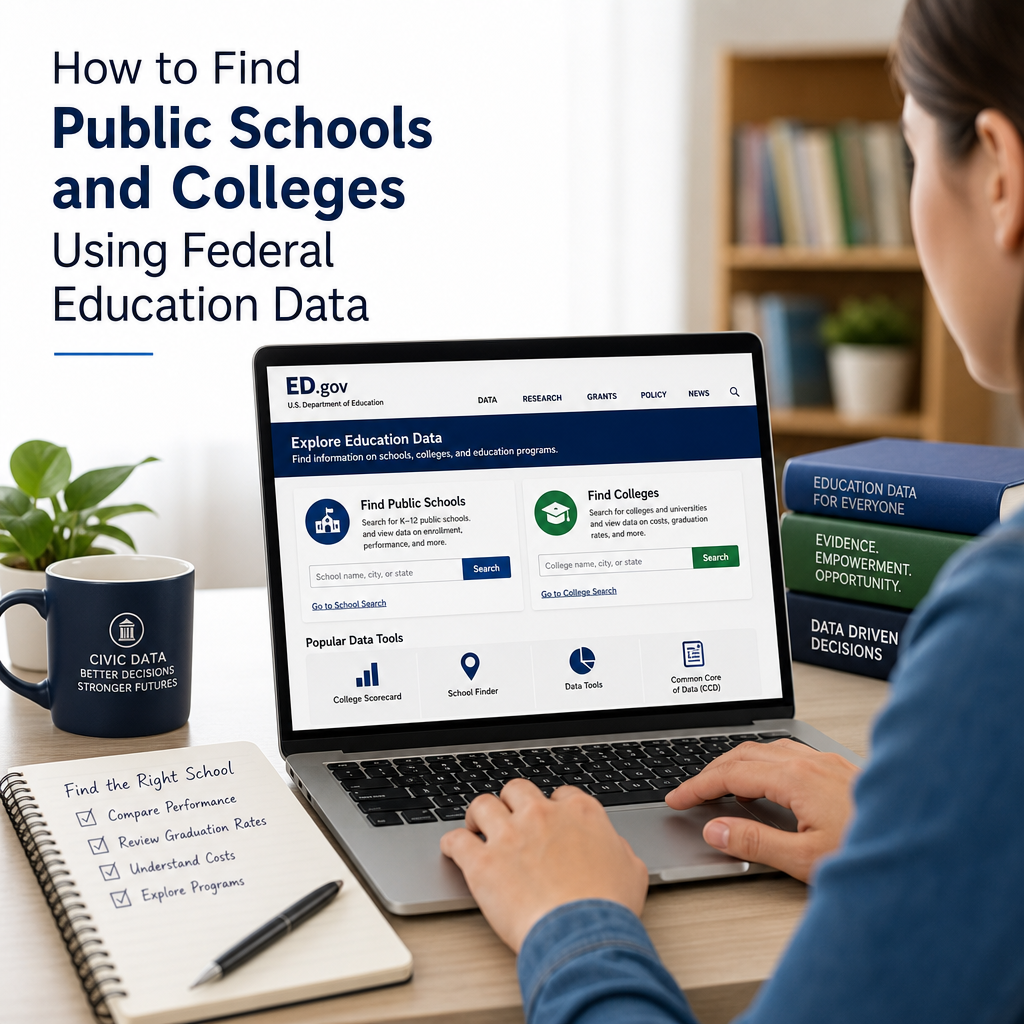
Federal education data gives you access to standardized information collected across schools, districts, and colleges. That matters because it helps you compare institutions on a more level playing field.
Instead of relying only on marketing materials or third-party reviews, you can look at:
Anúncios
- School enrollment and demographics
- Graduation and completion rates
- Academic programs and services
- Teacher and staff information
- Student outcomes and financial aid data
- Accountability and performance indicators
This data is especially useful when you want to find public schools and colleges based on facts rather than impressions. It can help you narrow your list quickly and spot patterns that may not be obvious from a school website alone.
Where to Find Public Schools and Colleges Using Federal Education Data
Several official federal resources help you search for schools and colleges. Each one serves a different purpose, so the best source depends on what you need.
1. NCES School and College Search Tools
The National Center for Education Statistics (NCES) is one of the most useful federal sources for education data. NCES maintains searchable databases for both K–12 schools and colleges.
You can use NCES tools to:
- Find public schools by name, city, ZIP code, or district
- Compare colleges by location, tuition, programs, and campus type
- Review enrollment and demographic data
- Check institutional characteristics
For families and students, NCES is often the best starting point because it brings together multiple data points in one place.
2. College Navigator
If you’re looking for higher education options, College Navigator is a free federal tool that helps you find and compare colleges across the United States.
It can help you search for:
- Public four-year universities
- Community colleges
- Public technical and career schools
- Institutions by state, major, or cost range
College Navigator includes useful fields like:
- Undergraduate enrollment
- Admission rates
- Tuition and fees
- Net price estimates
- Graduation rates
- Campus housing availability
This makes it easier to identify public colleges that fit your academic goals and budget.
3. School Locator and District Data Tools
For K–12 families, federal school locator tools and district datasets can help you find public schools near a specific address or within a district. While local school district websites often provide the most detailed boundary maps, federal data can still help you confirm the school’s official name, enrollment size, and characteristics.
You can use this information to:
- Identify nearby elementary, middle, and high schools
- Check whether a school is public or charter
- Compare enrollment and student-teacher ratios
- Review racial/ethnic and socioeconomic data
4. College Scorecard
The College Scorecard is another federal resource for finding and comparing colleges. It focuses on outcomes and costs, helping students and families evaluate the return on investment of different schools.
You can use College Scorecard to see:
- Costs after grants and aid
- Average earnings after graduation
- Graduation rates
- Loan repayment data
- Program-level information for some fields of study
If your goal is to find public colleges using federal education data and compare their affordability and results, this tool is especially valuable.
How to Search for Public Schools Step by Step
Searching for public schools using federal education data is straightforward once you know what to look for.
Step 1: Start with NCES School Search
Visit the NCES school search tool and enter one of the following:
- School name
- City
- State
- ZIP code
- District name
If you only know your address, start by identifying the district first, then review the public schools associated with it.
Step 2: Filter by School Type
To narrow your results, look for filters such as:
- Public school
- Charter school
- Magnet school
- Traditional district school
- Grade level served
This is helpful if you want to separate neighborhood public schools from charter schools or other public options.
Step 3: Review the School Profile
Once you find a school, review the profile for details like:
- Grades offered
- Enrollment
- Student-teacher ratio
- Locale or community setting
- Racial/ethnic composition
- Title I status
- Contact information
These details help you understand the school’s size, setting, and student population.
Step 4: Compare Multiple Schools
If you are choosing between several schools, create a shortlist and compare them side by side. Focus on factors that matter most to your family, such as:
- Proximity to home
- Grade span
- Enrollment size
- Academic programs
- Transportation options
- School climate data
A school with a strong reputation may not be the best fit if it’s too far away or doesn’t serve the grades you need.
How to Search for Public Colleges and Universities
Using federal education data to find public colleges works similarly, but you’ll want to pay close attention to affordability, program offerings, and outcomes.
Step 1: Use College Navigator or College Scorecard
Search by:
- School name
- State
- Program of study
- Public institution type
- Degree level
If you’re not sure where to begin, start with your state and filter for public institutions.
Step 2: Narrow by Campus Type and Degree Level
Public colleges come in many forms, including:
- Community colleges
- State universities
- Regional public universities
- Public technical institutes
Choose a school type that matches your goals. For example, if you want to earn an associate degree and transfer later, a community college may make sense. If you want a four-year degree, a public university might be a better fit.
Step 3: Review Costs and Financial Aid
One of the most important advantages of federal education data is that it helps you compare real costs, not just sticker prices.
Look for:
- Published tuition and fees
- Net price after aid
- Availability of federal grants
- Percentage of students receiving aid
- Loan borrowing data
A lower tuition price does not always mean a lower total cost, so use the full financial picture before deciding.
Step 4: Check Outcomes
If your goal is to find public colleges using federal education data, outcomes matter. Review:
- Graduation and transfer rates
- Retention rates
- Employment and earnings data
- Loan repayment trends
These numbers can help you evaluate whether a school supports student success, not just enrollment.
What to Look for in the Data
Federal education databases can be rich with information, but not every data point will matter equally for every user.
For Parents and K–12 Families
Focus on:
- School boundary and district assignment
- Enrollment by grade
- Student-teacher ratio
- School performance indicators
- Demographics
- Special education and language support services
If your child has specific learning needs, pay close attention to available support programs and school size.
For College-Bound Students
Focus on:
- Cost after aid
- Program availability
- Graduation rates
- Campus setting
- Student body size
- Student support services
- Post-graduation outcomes
If you plan to live on campus, check housing availability. If you plan to commute, look at transportation and local access.
For Researchers and Policy Readers
Focus on:
- Long-term enrollment trends
- Demographic shifts
- Accountability measures
- Institutional classification
- Sector comparisons across states
Federal education data is especially useful for spotting broad patterns and comparing public education systems across regions.
Tips for Using Federal Education Data Effectively
A database is only useful if you know how to use it well. These tips can help you get more accurate and meaningful results.
Use Multiple Sources
Don’t rely on one tool alone. For example:
- Use NCES for school profiles
- Use College Navigator for broad college comparisons
- Use College Scorecard for outcomes and costs
- Use state education department sites for boundary maps and local details
Combining sources gives you a fuller picture.
Check the Date of the Data
Education data changes over time. Always check the reporting year or update date before making a decision. Enrollment, tuition, and outcomes can shift from one academic year to the next.
Look Beyond Rankings
Rankings can be helpful, but they don’t always capture fit. A school that ranks highly overall may not offer the program, location, or support services you need.
Instead, ask:
- Does this school serve my grade level or degree goal?
- Can I afford it?
- Is it in a location that works for me?
- Does it offer the services I need?
Compare Like With Like
When comparing schools, make sure you’re comparing similar institutions. For example:
- Compare public high schools with public high schools
- Compare community colleges with other two-year schools
- Compare state universities with similar public universities
This makes your conclusions more reliable.
Common Mistakes to Avoid
Even good data can lead to poor decisions if it’s used carelessly.
Mistake 1: Ignoring the School Type
A school may be public, but that doesn’t mean it’s the right kind of public school for your needs. District schools, charter schools, magnet schools, and public colleges all operate differently.
Mistake 2: Focusing Only on Cost
Low cost matters, but so do completion rates, student support, and academic fit. The cheapest option is not always the best long-term choice.
Mistake 3: Misreading Small Sample Sizes
Some programs or schools have small enrollment numbers, which can make trends harder to interpret. Look at multiple years of data when possible.
Mistake 4: Assuming Data Tells the Whole Story
Federal education data is powerful, but it doesn’t show everything. It may not fully capture school culture, teaching style, extracurricular life, or campus feel. Use the data as a foundation, then supplement it with visits, interviews, or local research.
Real-World Example: Comparing Two Public Colleges
Imagine you’re deciding between two public colleges in your state.
You use College Navigator and College Scorecard to compare:
- Tuition and fees
- Net price after financial aid
- Graduation rates
- Program availability in your intended major
- Campus size and setting
You discover that College A is cheaper upfront, but College B offers stronger graduation outcomes and more support in your field. That doesn’t automatically make College B the right choice, but it gives you a more balanced view of value.
This is exactly why federal education data is so useful: it helps you move from guesswork to informed decision-making.
Frequently Asked Questions
1. What is federal education data?
Federal education data refers to information collected and published by U.S. government agencies, mainly through the Department of Education and NCES. It includes school enrollment, demographics, costs, graduation rates, and other education-related measures.
2. Can I find public schools by address using federal education data?
You can often get close by using ZIP code, city, and district search tools in NCES databases. For exact attendance boundaries, local school district maps are usually the best source, but federal data can still help confirm school details and characteristics.
3. What is the best federal tool for comparing colleges?
College Navigator is one of the best starting points for comparing public colleges because it offers school profiles, tuition, enrollment, and admissions data. College Scorecard is also useful if you want to compare outcomes, costs, and earnings.
4. How often is federal education data updated?
Update schedules vary by dataset. Some information is refreshed annually, while other fields may update less often. Always check the reporting year or publication date before using the data to make a decision.
5. Is federal education data reliable?
Yes, federal education data is generally considered a trusted source because it comes from official government reporting systems. That said, no dataset is perfect, so it’s smart to review multiple sources and check the date, context, and definitions used.
Official Resources
- National Center for Education Statistics (NCES)
- College Navigator
- College Scorecard
- U.S. Department of Education
- Federal Student Aid
Conclusion
Learning how to find public schools and colleges using federal education data gives you a major advantage when making important education decisions. Instead of depending on incomplete listings or promotional language, you can use trusted federal tools to compare schools based on real information such as location, enrollment, cost, graduation rates, and available programs.
For families, this means a more informed school search and a better chance of finding the right fit. For students, it means making college choices with a clearer understanding of affordability and outcomes. And for researchers or community members, it means access to standardized data that supports smarter analysis.
The best approach is to start with official federal tools, compare similar institutions, and use the data alongside local knowledge and personal priorities. When you do that, you turn a confusing search into a practical, confident decision-making process. Keep exploring the available datasets, and use them as a foundation for choosing schools that truly match your needs.